A custom web app is worth investigating when an important, recurring task depends on rules or interactions that existing software cannot handle well. Test the available tools against that task before commissioning a build.
I build browser-based products as well as websites. Gas Tank Sports, XPENSES and TobyCare show three different kinds of app interface in my portfolio. Here is how I would use that experience to assess a new brief.
Describe the task before the screens
A website can explain a service and collect an enquiry. A web app lets people work with information: record something, review its history, apply rules or complete a repeated process.
Start with one person and one task. Write what triggers it, which information they need, what decision they make and what should happen next. Include the exceptions that currently need manual attention.
For example: “A coordinator receives a request, checks the record, assigns the next action and informs the customer.” This is a hypothetical business workflow, not a feature claim about my portfolio apps.
Now list the actual difficulties. Re-entering the same information, losing status between tools and being unable to represent a required rule are more useful findings than wanting a dashboard.
Compare configuration, integration and custom development
| Approach | Investigate it when | Check before committing |
|---|---|---|
| Configure an existing product | The task matches a common workflow and its available settings. | Real records, permissions, exports and the subscription you would need. |
| Connect existing tools | The tools handle their own tasks but information is lost between them. | Supported APIs, failure handling, duplicate records and ongoing provider costs. |
| Build a custom web app | Important rules, data relationships or user interactions remain unsupported. | A small prototype of the difficult part and a plan for operating the finished app. |
A combination can work well. A custom interface can use an established service for a standard function. Evaluate the responsibility you retain for the connection, including changes or outages at the provider.
Before deciding that software cannot do something, ask for a demonstration with a representative example. A limitation in the current configuration may have a simpler remedy.
Three examples from my app portfolio
Gas Tank Sports: reviewing changing information
The Gas Tank Sports portfolio screen shows a model selector, a current board, an update status and a multi-day schedule. It illustrates an interface for repeatedly reviewing time-sensitive information.
For a similar app brief, I would define when data becomes stale, which view should appear first and how someone distinguishes a scheduled update from a failed one. Those are requirements to investigate, not claims about verified results.
XPENSES: organizing a daily money task
XPENSES is presented in my portfolio as a personal cashflow application for spending, budgets and upcoming bills. The useful scope lesson is that related records need a coherent daily view.
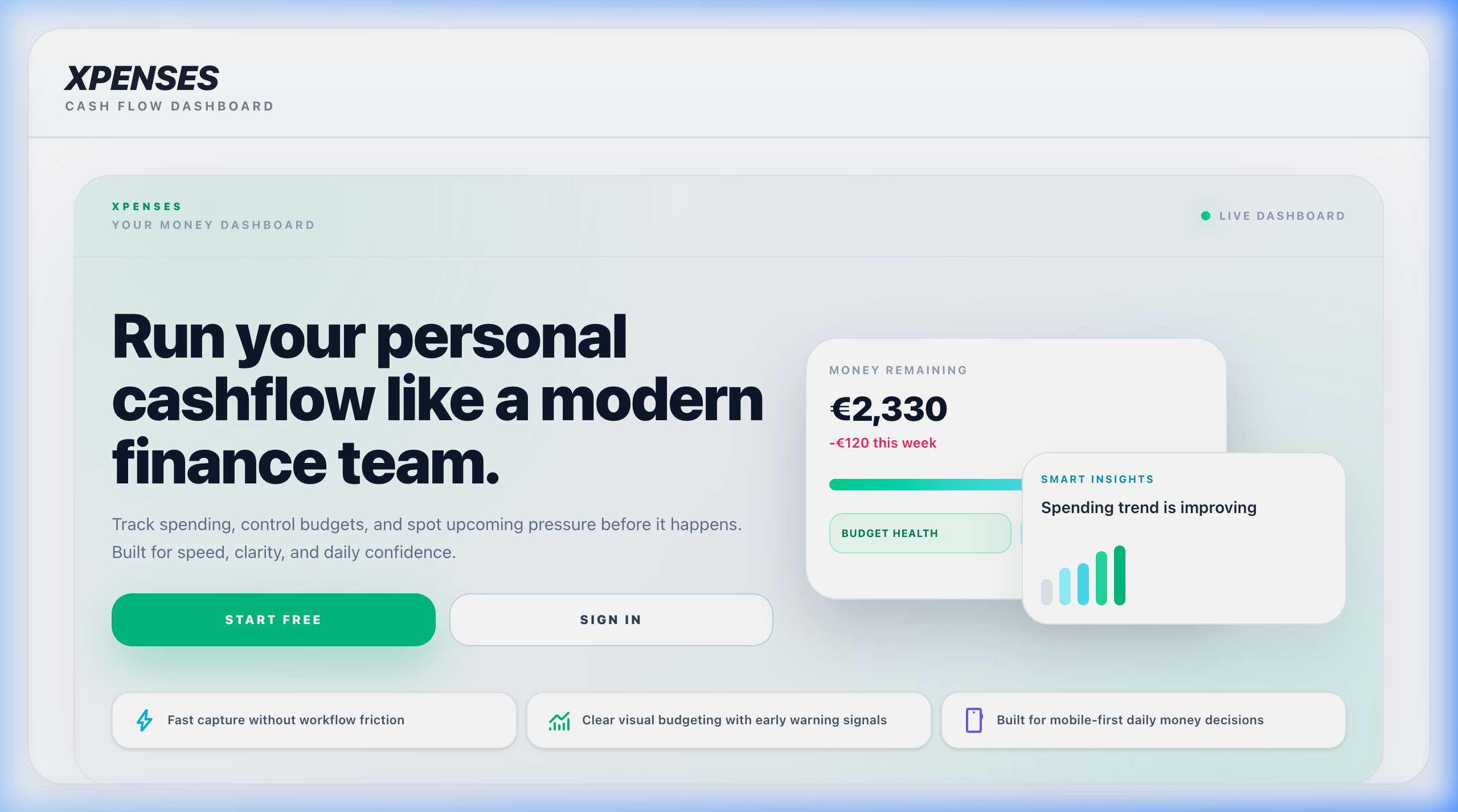
For another record-based app, I would ask what a user needs to enter, how they correct it and which summary helps them choose the next action. A list of charts is not yet a product brief.
TobyCare: making a repeated check-in easy to find
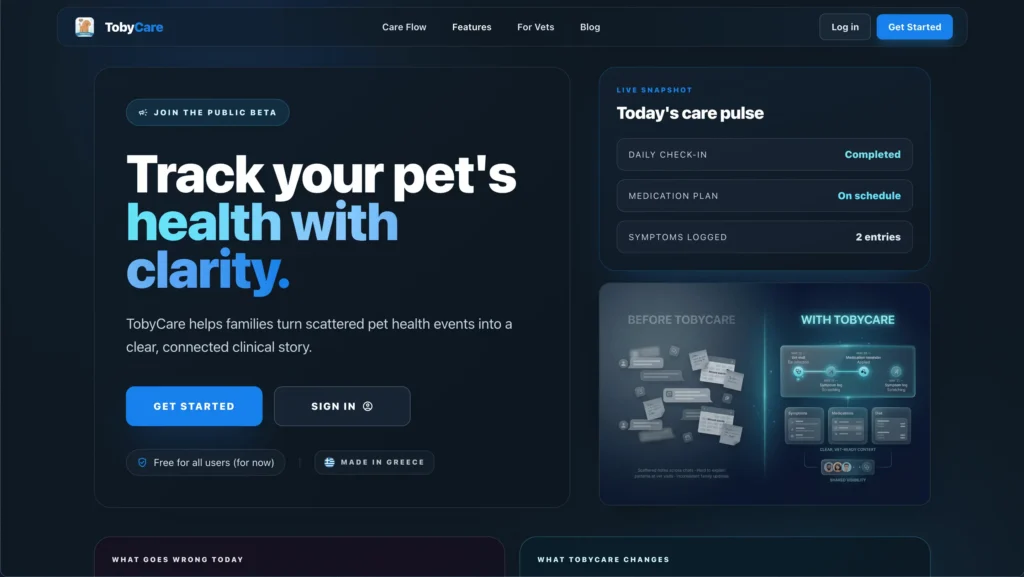
The TobyCare portfolio screen places a quick check-in near care progress, a monitoring summary and history navigation. It provides a concrete example of organizing an app around a recurring entry task.
A similar interface needs clear states for a first visit, an incomplete entry and a return to earlier records. Define those states before expanding the feature list. The example concerns record organization, not medical effectiveness.
You can see the three projects on my App Development page. The examples here describe portfolio material, without assuming private integrations, user numbers or business outcomes.
Test whether the gap justifies custom work
Choose representative records and run the task in a candidate tool. Record the exact step that fails or requires a workaround. Ask whether configuration or a supported integration can address it.
- Can the tool represent the information and its relationships?
- Can the right person see and change the right records?
- Can users recover from a mistake?
- Can your team get information out in a useful format?
- Who handles the task when a connection or service fails?
Measure the current workload rather than estimating savings from a demo. As a hypothetical example, a ten-minute task repeated thirty times uses five hours. Only some of that time may be recoverable through software.
Compare that opportunity with setup, migration, training and ongoing operation. A custom app may be justified by a distinctive customer experience even when the case is not mainly about saving staff time.
Define one complete first version
Choose a narrow journey that produces a useful result. Specify its starting information, essential rules, expected output and recovery when something goes wrong.
For the hypothetical coordinator example, that might cover receiving one request type, assigning it and showing its status. Additional departments and complex reporting can wait until the core task is usable.
Prototype the uncertain part first. If access to an external system determines whether the idea can work, test that dependency before spending the design budget on every screen.
Agree acceptance examples: a normal case, missing information, an invalid action and an interrupted task. Ask intended users to try them. Their difficulty completing the task tells you more than a favorable reaction to a screenshot.
Plan for the app after launch
A custom app needs someone responsible for hosting, backups, updates, monitoring and support. Include those activities in the decision, along with provider charges and future changes.
Define access by role, test recovery and agree how data can be exported. Discuss the actual code and account handover arrangements. An app should have a clear operating owner as well as a development owner.
For each essential integration, name the dependency and what happens if it stops working. That may involve retrying later, showing an honest status or giving staff a controlled manual route.
Write this brief before asking for an estimate
- Who needs to complete the task, and how often?
- What happens today, including workarounds?
- Which information, rules and permissions are essential?
- Which existing products have you tested, and where did they fall short?
- What is the smallest useful first release?
- Who will maintain it and handle exceptions?
Bring a sample record with private details removed and a description of the current process. That gives us a concrete starting point for choosing an existing tool, an integration or custom development.
Explore my custom web-app work, read how to compare project proposals, or discuss your app idea.