A custom dashboard needs to make a particular job easier to follow. Gas Tank Sports, a sports analytics web application I built, brings three different tasks into separate views: finding the relevant day or event, examining an individual match, and reviewing historical records.
Those tasks are useful beyond sports. A business dashboard may need comparable overview, detail and history views for orders, customers or records. The examples here come from different parts of Gas Tank; each illustrates a separate dashboard pattern.
The screenshots below are historical project views. Their dates, predictions and performance figures are displayed interface content, not independently verified results or evidence of current live data.
Give the overview one clear job
The MLB board puts the selected model in the left navigation and the day-based schedule in the main workspace. Its seven-day outlook groups games by date, with the current day visually separated from the following days.
That structure gives the screen a starting point. A visitor can identify the selected model and scan the schedule before opening more detail. The next-update panel and model summary occupy their own areas rather than competing with every schedule row.
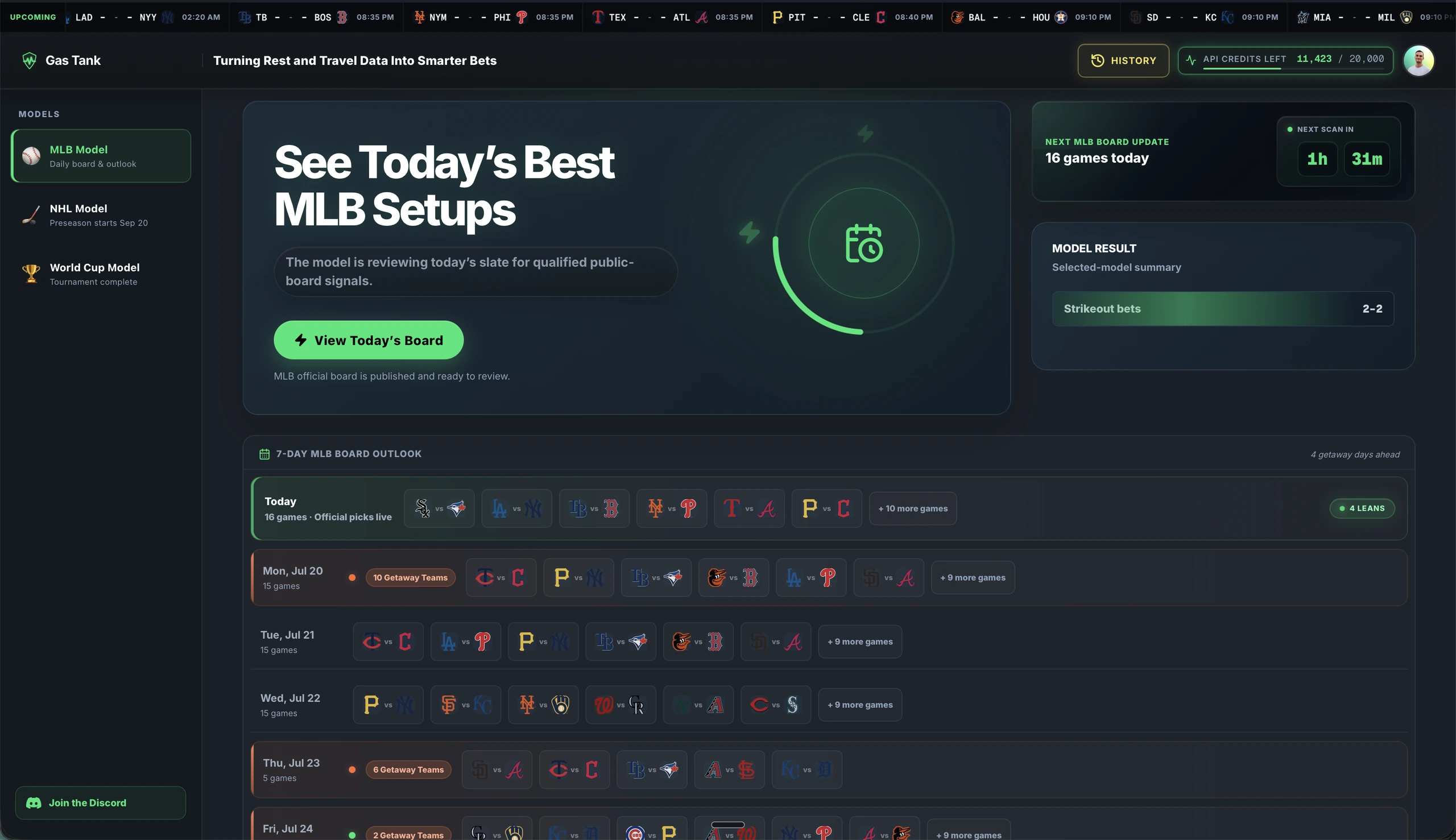
The transferable decision is what belongs on the first screen. For an operations tool, that might be today's work and exceptions. For a client portal, it might be active projects and their next actions. Putting every available field into the overview makes the reader do the organising.
I would define the first task before choosing the charts: what should someone be able to find or decide here?
Keep detail connected to the selected item
The Match Lab view uses a different arrangement. Dates sit above a row of matches, and the selected match has a visible outline. Below it, a larger panel presents the teams, probability display and the model's displayed pick together.
The match context stays visible while the reader examines the detail. A further-detail control sits underneath, so the layout can distinguish the main analysis from additional information.
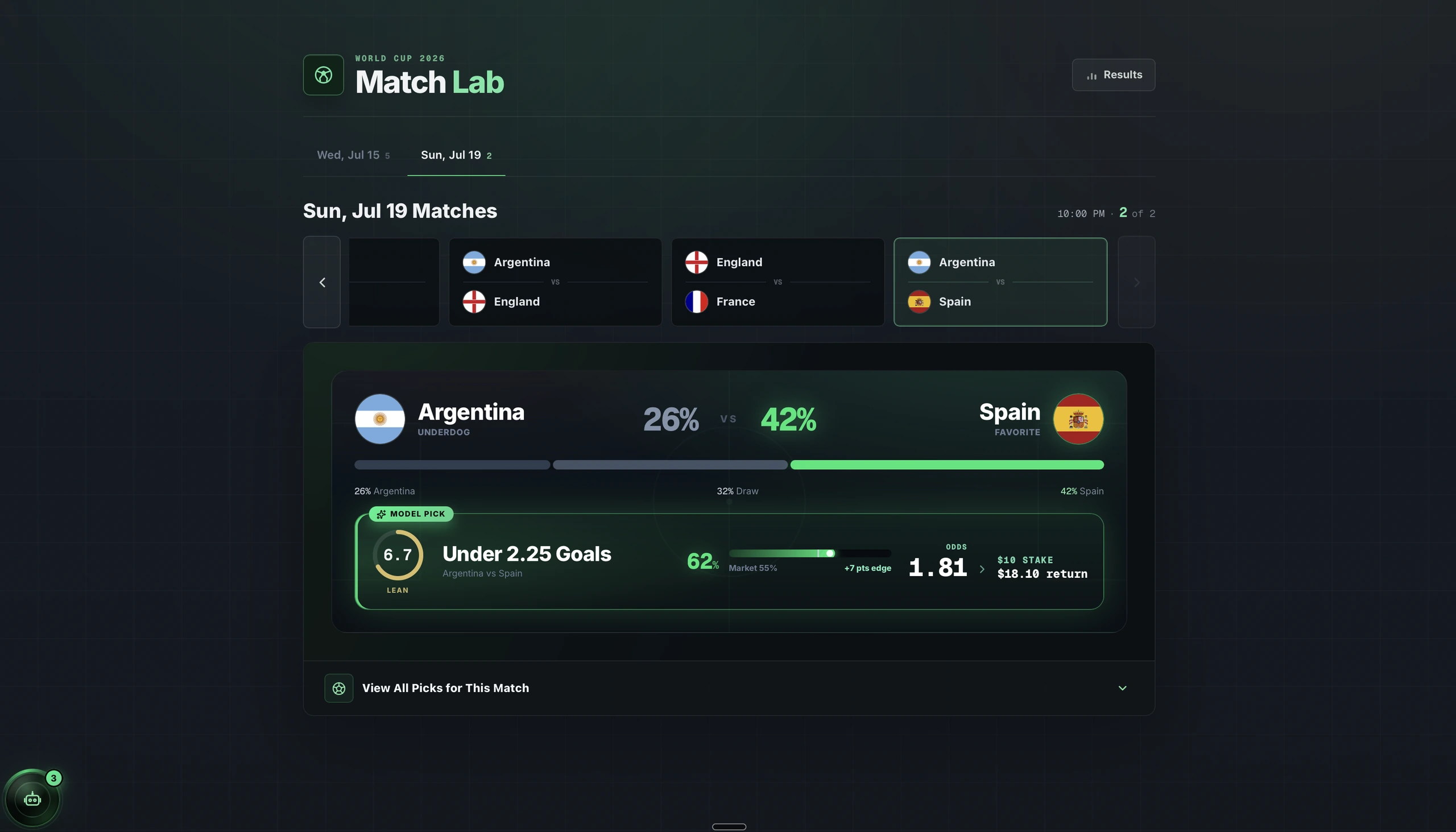
For a business application, the equivalent could be choosing an invoice and seeing its supporting information without losing track of which invoice is selected.
This is also where a dashboard's language matters. A model output, a confirmed record and an estimate are different things. Their labels should tell the reader which they are looking at. A prominent number alone does not explain its source or how much confidence to place in it.
Put historical summaries beside the records
Gas Tank's history screen combines summary cards with a record table. Sport tabs separate the views, while controls for range, result and stat type sit above the detailed rows.
The table shows the context behind the summaries: dates, players, categories and recorded outcomes. It gives historical review its own workspace rather than adding more information to the daily overview.
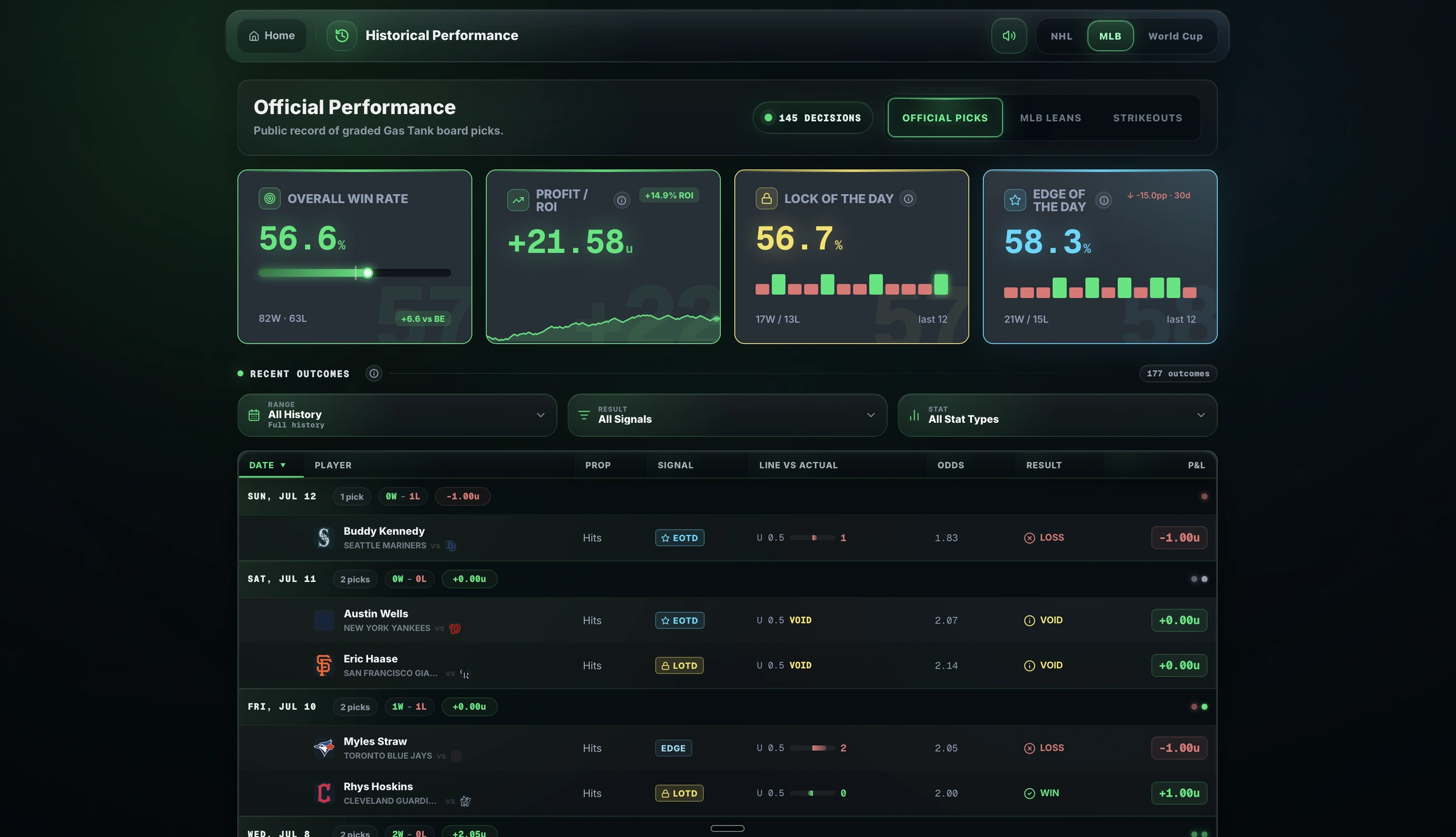
That distinction matters when commissioning a dashboard. A total is useful, but the requirements should also define what it includes and how someone can inspect the relevant records.
For a sales dashboard, for example, a revenue figure needs an agreed period and definition. A filtered list and its headline summary should have a clearly stated relationship. These are requirements to specify and test; the presence of a chart does not establish them.
Plan for saved, delayed and unavailable data
These screenshots show particular versions of the project. They should not be read as a current availability statement for every Gas Tank feature or data source.
The development question extends beyond the normal populated screen: what should the application show when information is saved, delayed, unavailable or missing?
For a new dashboard, I would agree:
- How the reader can identify the data's date or last successful update.
- Whether saved information remains visible when a source is unavailable.
- How an empty result differs from a failed request.
- Which actions should be unavailable when their dependencies are not working.
Those decisions affect the usefulness of the interface as much as its normal layout. They also make the first version's scope clearer: a saved-data view and an automatically refreshed system require different work.
What to define before commissioning a similar dashboard
Gas Tank provides a concrete interface example, but your project needs its own requirements. I would start with five questions:
- Who uses it? Identify the people and the task each needs to complete.
- Which data is available? Establish the source, access and expected update frequency.
- What belongs in the first version? Choose the essential overview, detail and review tasks.
- What do the numbers mean? Define calculations, periods and missing-data treatment.
- How will we check it works? Agree representative records and tasks, including an empty result, an unavailable source and use on a phone.
For example, a proposed acceptance task for a new history screen could be: choose a date range and record category, check the list against a supplied sample, and confirm how the summary relates to those rows. That turns a broad requirement such as “add filtering” into something specific to check.
Data access, calculations, user permissions and required interactions all affect the scope. Agree those before treating a collection of screen designs as a complete development brief.
If you are still deciding whether the work calls for an application, my guide to when a business needs a custom web app covers that earlier decision.
Discuss your dashboard
My custom web app development service covers browser-based tools, dashboards and business workflows.
To discuss a similar project, send me the task you want to improve, who needs the tool and the data sources you already use. An anonymised example of your current report or process can help make the conversation specific.